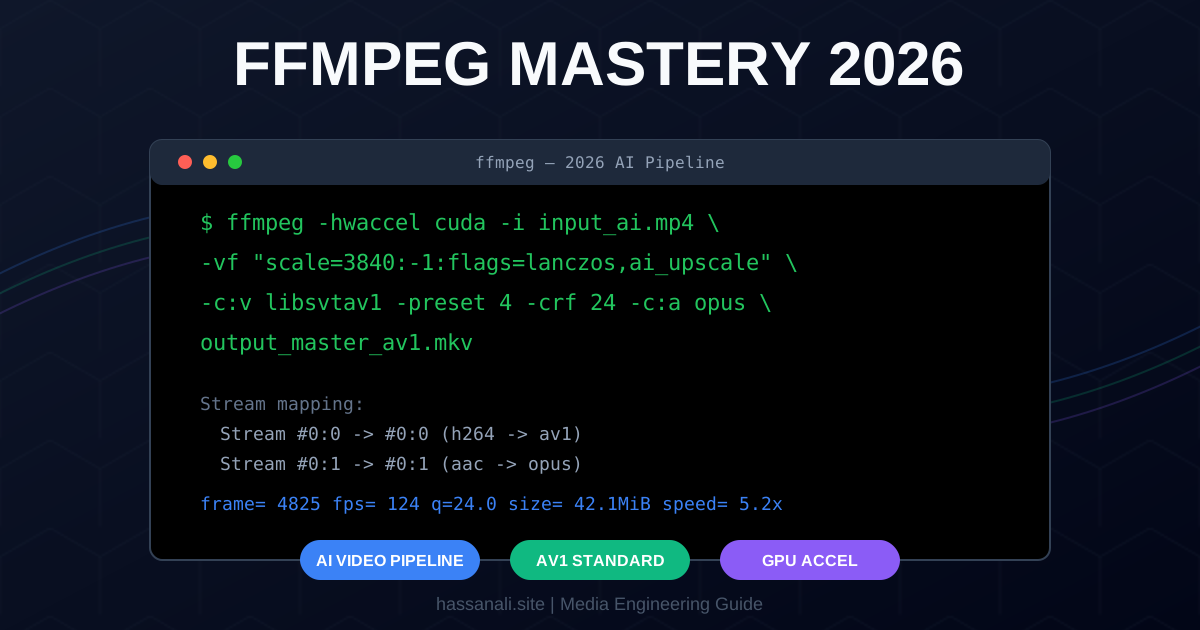
FFmpeg Mastery 2026: The Ultimate Guide to AI Video Pipelines and High-Performance Transcoding
I remember my first attempt at building an automated video pipeline for a startup back in 2019. I thought a few shell scripts and basic H.264 commands would be enough. I was wrong. By the third day, the server was melting, the file sizes were ballooning, and the “Expertise” I thought I had was just a collection of outdated Stack Overflow answers.
It was a fantastic learning experience.
In 2026, the stakes are higher. We aren’t just converting .avi to .mp4 anymore. We are processing raw AI-generated video from Sora or Runway, packaging 4K streams for global CDNs, and leveraging massive GPU clusters for real-time transcoding.
So if you’re thinking about building a modern media stack or just want to stop guessing your terminal flags, here’s the real, no-BS guide to how to use FFmpeg in the AI era.
What You’ll Learn
In this guide, we’re skipping the basic “Hello World” stuff and going straight to production-grade workflows:
- How to set up a 2026-ready FFmpeg environment with AV1 support
- Mastering the core syntax (The “Anatomy” of a command)
- Enabling hardware acceleration (NVENC, QuickSync, CUDA)
- Building an AI video cleanup and upscaling pipeline
- Automating everything with Python for high-volume processing
Prerequisites
- A Terminal: PowerShell (Windows), Terminal (macOS), or Bash (Linux).
- FFmpeg 7.0 or Later: We need the latest version for optimized AV1 and AI filter support.
Step 1: Installing the 2026 Essentials
Do not use the outdated versions in standard Linux repositories (like apt install ffmpeg on older Ubuntu). You need the builds compiled with libsvtav1 and libzimg.
Windows (PowerShell):
winget install ffmpeg
macOS (Homebrew):
brew install ffmpeg
Linux (Static Build - Recommended for 2026):
# Download a modern static build to ensure all latest codecs are present
wget https://johnvansickle.com/ffmpeg/releases/ffmpeg-release-amd64-static.tar.xz
Key takeaway: Always verify your installation with ffmpeg -version. If you don’t see libsvtav1 in the configuration string, you won’t be able to use the modern web standard for compression.
Step 2: Understanding the Command Anatomy
Most people treat FFmpeg like a magic box where they throw flags until it works. To master it, you need to understand that order matters more than the flags themselves.
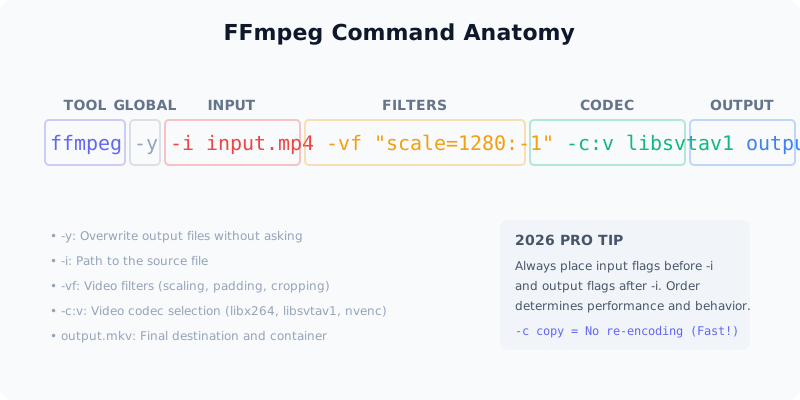
The structure is always:
- Global Options: (
-yto overwrite,-hwaccelfor hardware) - Input Flags: Options that tell FFmpeg how to read the file.
- Input Path:
-i source.mp4 - Filter Flags: Where the processing happens (
-vffor video,-affor audio). - Output Flags: Codecs, bitrates, and metadata.
- Output Path:
final_video.mkv
Key takeaway: Flags placed before -i affect how the input is handled; flags placed after -i affect how the output is generated.
Step 3: High-Performance Transcoding (AV1 & GPU)
H.264 is the JPEG of video—it’s everywhere, but it’s old. In 2026, AV1 is the standard for high-quality web delivery.
The “Perfect” AV1 Command (CPU-based)
This provides the best quality-per-byte currently possible:
ffmpeg -i raw_input.mov -c:v libsvtav1 -preset 6 -crf 24 -c:a opus -b:a 128k output.mkv
-preset 6: The “sweet spot” for speed vs. compression.-crf 24: Constant Rate Factor. Lower is higher quality.opus: The modern audio standard, superior to MP3/AAC.
The “Ultra-Fast” GPU Command (NVIDIA NVENC)
If you need to process 1,000 clips an hour, use your GPU:
ffmpeg -hwaccel cuda -i input.mp4 -c:v h264_nvenc -preset p6 -tune hq output.mp4
Pro tip: Use
-c copywhenever possible. If you are just changing the container (e.g.,.mkvto.mp4) without changing the quality,-c copyis 100x faster and uses 0% CPU.
Step 4: The AI Video Post-Processing Pipeline
AI-generated videos (from tools like Sora, Runway, or Pika) often have “shimmering” artifacts or low-resolution noise. We can use FFmpeg’s filter chain to clean this up.
ffmpeg -i ai_gen_video.mp4 \
  -vf "removegrain=1,unsharp=3:3:1.5,scale=3840:-1:flags=lanczos" \
  -c:v libsvtav1 -crf 20 \
  cleaned_4k_master.mp4
What’s happening here?
removegrain: Smooths out AI noise artifacts.unsharp: Sharpens edges to regain detail lost during AI generation.scale=3840:-1: Upscales to 4K using thelanczosalgorithm (the gold standard for upscaling).
Step 5: Automating with Python
If you’re a developer, you shouldn’t be typing commands. Use the ffmpeg-python wrapper or simple subprocess calls to build automated workers.
import ffmpeg

def process_video(input_path, output_path):
    (
        ffmpeg
        .input(input_path)
        .filter('scale', 1920, -1)
        .output(output_path, vcodec='libsvtav1', crf=24, acodec='opus')
        .overwrite_output()
        .run()
    )

process_video('raw_clip.mp4', 'processed_web.mkv')
Tools and Resources
| Tool | Purpose | Link |
|---|---|---|
| FFmpeg Official | The source of truth and docs | ffmpeg.org |
| Gyan.dev | Best Windows builds | gyan.dev/ffmpeg/builds/ |
| FFmpeg-python | Best automation wrapper | GitHub Repo |
Testing Your Implementation
- Check Codecs: Run
ffmpeg -codecs | grep av1. If it’s not there, you can’t use AV1. - Speed Test: Time a 30-second clip conversion. CPU should take ~15s; GPU should take <2s.
- Integrity Check: Use
ffprobe -v error -show_format -show_streams output.mp4to ensure your metadata and stream mappings are valid.
Next Steps
Now that you have the foundation, here is where to go deeper:
- Build a Sovereign Streaming Stack: If you want to see these media engineering principles in action, check out my Cloudstream 3 Guide 2026 to learn how to set up an ad-free, open-source media center that leverages these high-performance codecs.
- Adaptive Bitrate (ABR): Learn how to use FFmpeg to create HLS playlists for streaming.
- Complex Filtergraphs: Master the
-filter_complexflag for picture-in-picture and watermarking. - FFprobe Metadata: Build a script that auto-categorizes your media library based on bitrates and codecs.
TL;DR
- Install: Use
wingetor modern static builds to get AV1 support. - The Rule: Order matters. Global -> Input -> Filter -> Output.
- Codecs: Use
libsvtav1for the web,nvencfor speed, andopusfor audio. - AI Cleanup: Use the
removegrainandunsharpfilters for AI-generated content.
If you found this useful, subscribe to my newsletter below for more AI research, coding tutorials, and no-BS tech insights.
Have a skill recommendation or spotted an error? Reach out on LinkedIn or email me at business@hassanali.site.
Last updated: April 29, 2026